ArchiQuantPlus provides users with a simpler and more immediate way for Quantity Take Offs and Cost Estimation linked to the construction elements in an ArchiCAD Virtual Building.
Using ArchiQuantPlus requires no knowledge of GDL language, nor the use of Property Objects or the ArchiCAD calculation database.
You simply need to build/import a PriceList for the project which contains descriptions and prices of all quantities you want to compute and assign components (of calculation) to the construction elements. To add a component to an element you simply choose from the PriceList the entry that describe the quantity/cost you want to calculate and then define the calculation method (quantity calculation formula) for that item. The components then will be automatically calculated by the lists of calculation provided by ArchiQuantPlus.
The Live Palette
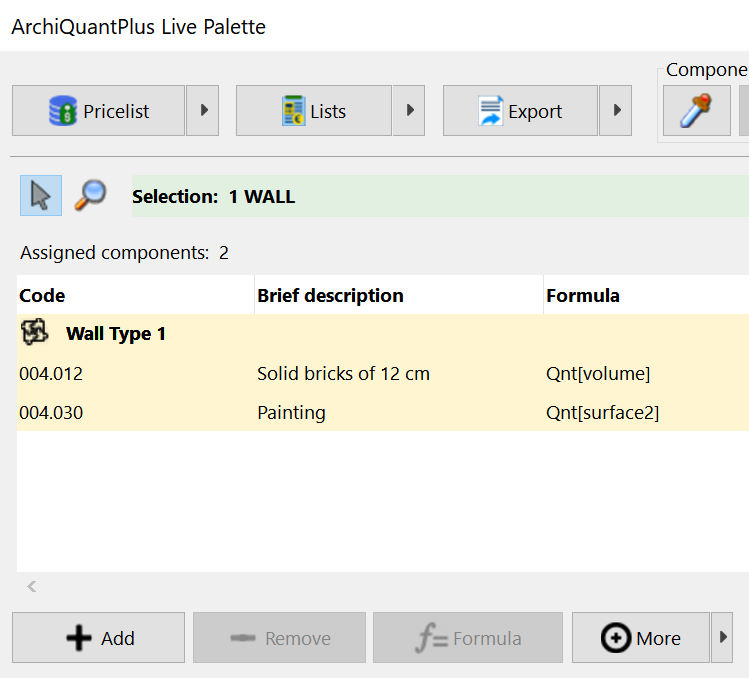
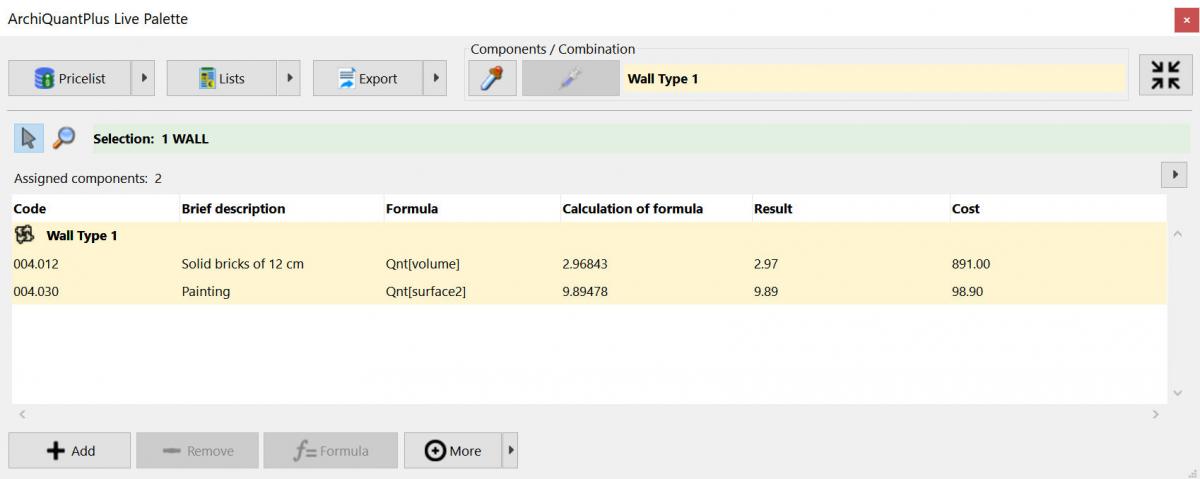
The core of ArchiQuantPlus is the Live Palette that allows you to edit "live" components of calculation for elements currently selected in ArchiCAD. The Live Palette can also show "live" for every component the preview of formula calculation, the result of the formula and the cost. For example if you have selected a wall and you change its dimensions, you will see in real time the changes in results and costs showed in the Live Palette.
You can use ArchiCAD "Undo" and "Redo" commands to cancel or restore changes made on components and see in real time the change in the Live Palette.
At the top of the palette there are 3 buttons with a small arrow that allows you to access all the functions for managing the price lists, for creating lists on the screen and for exporting data to an external file.
At the top there are also a pipe and syringe to fast copy components from one element and paste them to another.
The Live Palette is completely customizable by the user. You can resize it and you can choose which columns to show in the list. Also with the button at the top right you can reduce it.
Working method
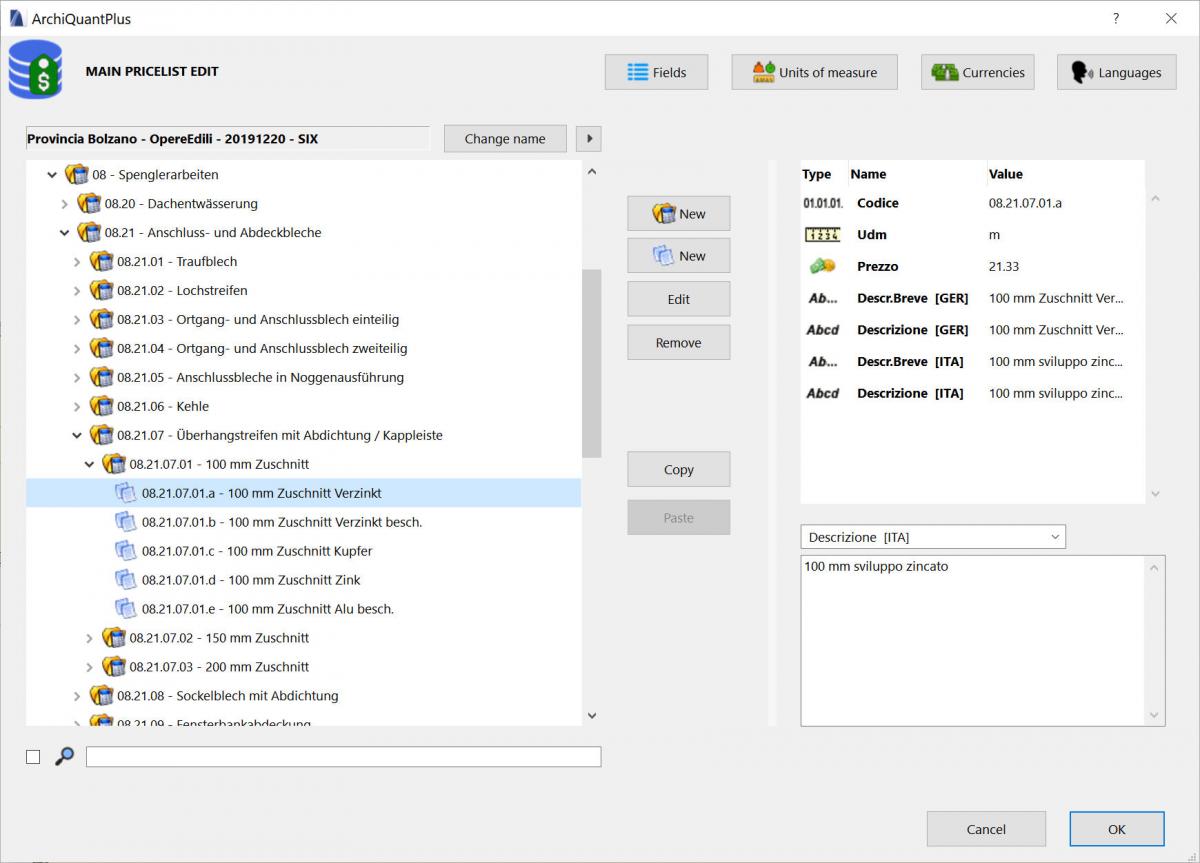
The PriceList is the database that includes all the items which can be calculated in our ArchiCAD project.
In ArchiQuantPlus we have provided two kinds of PriceLists:
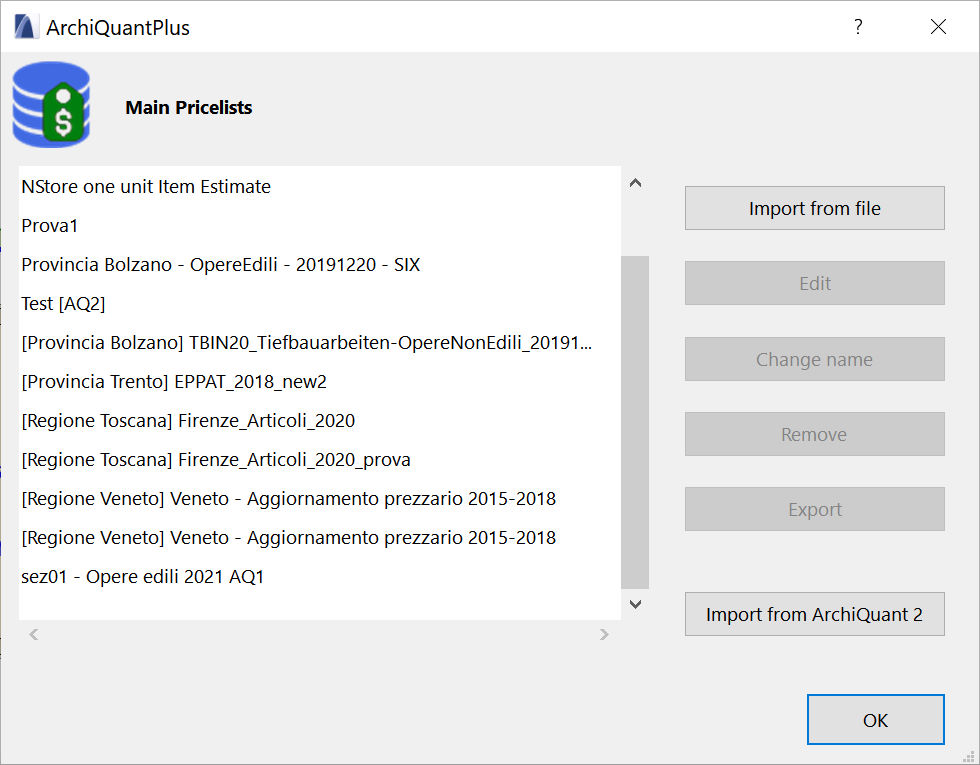
Main PriceLists: can be imported from external files (txt, csv, Excel...) and are stored in ArchiQuantPlus. These pricelists are the sources for the other kind of pricelist, and once imported are available for all ArchiCAD projects.
Working PriceList: is stored directly in the ArchiCAD project and is the PriceList practically used in the project. You can define it manually with ArchiQuantPlus but the more convenient way to build it is copying desired items from one or more Main PriceLists to build your custom pricelist.
A PriceList has essentially the tree structure of folders and files in a disk and is based on two kinds of elements: the Chapter (i.e. the folder) and the Entry (i.e. the file).
The Chapter is the hierarchical partition of the Entries, it normally has an alphanumerical code to identify it and a text description.
The Entry is the basic unit. It typically includes:
an alphanumerical code identifying it unambiguously;
a text description;
a a brief description;
a measurement unit;
an unit price.
Indeed ArchiQuantPlus, differently from old ArchiQuant 2, supports PriceLists with multiple languages, with multiple currencies and with multiple unit prices for every entry. So an Entry/Chapter could have multiple descriptions in different languages and an Entry could have more than one unit price.
The total take off of the component and total cost are calculated automatically by ArchiQuantPlus based on the sizes of the linked element obtained from ArchiCAD itself.
When a component is assigned to an ArchiCAD construction element, the way in which that component is calculated must be defined according to the sizes /quantities of that construction element.
It's possible to associate more components at a time, therefore more formulas to every ArchiCAD's construction element.
For example the single components of a wall could be:
bricks (number of bricks per cubic meter of wall)
external plastering (linked to the external surface area of the wall)
internal plastering (linked to the external surface area of the wall)
external finishing (linked to the external surface area of the wall)
internal paint (linked to the external surface area of the wall)
skirting (linked to the internal length of the wall minus the width of the doors in the host wall)
ArchiQuantPlus allows you to save these components lists by assigning them a name. They are the Combinations of Components that allow you to quickly associate components to all elements with the same characteristics. In the live palette, the components belonging to a combination are marked with a yellow background and the name of Combination is shown above the components.
On-Screen Calculation Lists
Finally Calculation Lists display the estimates calculated by ArchiQuantPlus.
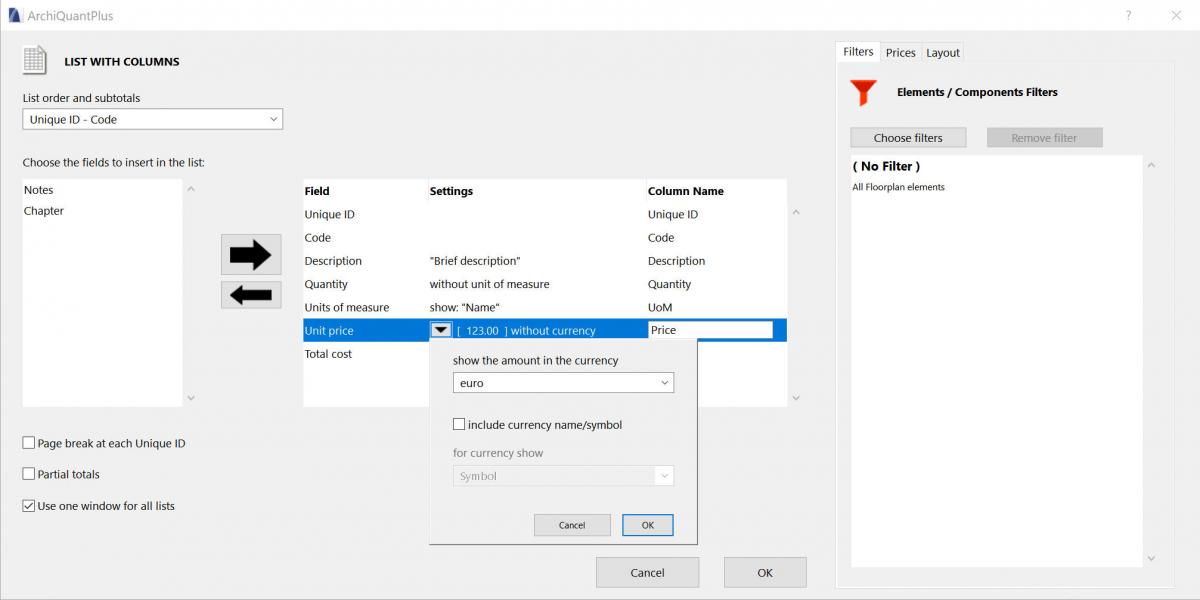
Two kinds of List are available in ArchiQuantPlus: List of Columns and Formatted List.
It's possible to customize the calculation lists choosing the data to visualize, the filters to use and the layout. Both of lists can also show totals and partial totals for every Chapter or Element depending on the chosen order of the list.
It is possible to save each list configuration by assigning it a name so that it can be reused later.
Data export to external file
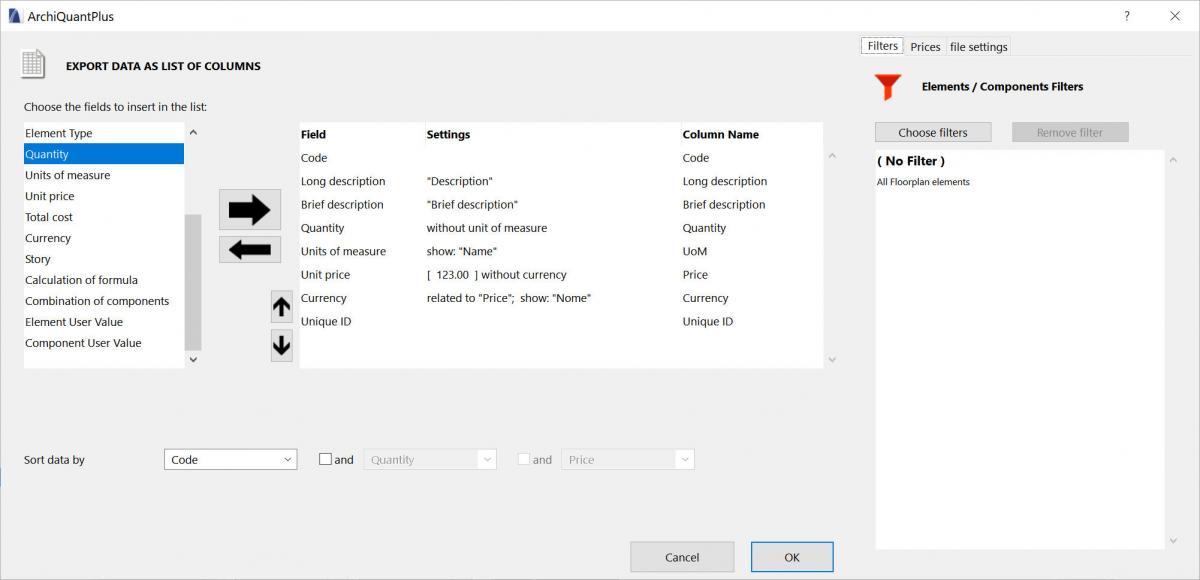
ArchiQuantPlus can export calculated quantities and costs to an external file as a list of columns. The data can be exported in different formats: txt, csv, Excel and xml.
You can choose which columns include in the list, columns settings and names, how to sort data and the filters to use.
Every export configuration can be saved with a name for later use.
ArchiSuite System Requirements The add-ons require the same configuration as your version of ArchiCAD.
ArchiCAD Version
ArchiSuite is compatible with ArchiCAD 17 and subsequent versions and it does not work with previous versions of ArchiCAD.
Installing the package
Installing ArchiSuitePlus has to happen in 2 steps:
After downloading, click on the file and an Installer will put the Add-Ons in the correct folder of ArchiCAD
After the Installer finished, it is necessary to prepare the Cigraph-Dongle. Put it into the computer and lunch ArchiCAD. From the menu: Design- Extradesign select “Cigraph Liccenze Activation” and follow the instructions.
Custom Work Environment
If you use personalized ArchiCAD custom work environments, the add-on menu might not appear automatically in the ArchiCAD Design menu.
To show the Work Environment Manager dialog, click on Options/Work Environment.
Use this dialog to configure your custom work environments to include the menu for the new add-on.
Managing the object library
We recommend not moving the libraries used by the add-on from their original location (in the same folder as the add-on).
Here they will be managed automatically by the add-on and you will not experience any difficulty loading them.
ArchiSuitePlus download must be related to the ArchiCAD version and Operative System in use.
To ease your life we developed a dedicated "Installer", which starts after downloading ArchiSuitePlus.
ArchiSuitePlus
ArchiCAD 20
23 November 2016
ArchiCAD 19
23 November 2016
ArchiCAD 18
23 November 2016
ArchiCAD 17
23 November 2016
Updates and bugs fixing
ArchiSuitePlus for the current and the previous ArchiCAD version are constantly up to date, as soon as new new bugs arise. When you launch ArchiSuite, it immediately advises you for new updates available for free download. Remember to quit ArchiCAD, before installing any ArchiSuitePlus Update.



 You can use ArchiCAD "Undo" and "Redo" commands to cancel or restore changes made on components and see in real time the change in the Live Palette.
 Working method