


ArchiForma 2

ArchiCAD plug-in for the creation of objects
Description
ArchiForma 2 is an extension that uses API (Application Programming Interface) technology to add new functionality to ArchiCAD.
The Plug-in was designed and developed to give ArchiCAD users complete freedom in creating special shapes without having to use GDL scripting.
One of the main need of the ArchiCAD users designers is the possibility to create free shapes or custom objects. In order to fulfil these needs, Cigraph developed ArchiForma 1.0, the successful object modeler tool for ArchiCAD.
Then Graphisoft released ArchiCAD 8.0 that provides the users with the Solid Element Operation issues (Boolean functions).
With these tools (ArchiCAD 8.0 and ArchiForma 1.0) the user can create whatever he may need to but, as usual, Cigraph tried to improve its tool providing the users with more and better functions so here we are to introduce you ArchiForma 2.0.
Work method
Using ArchiForma 2 is just like using any other simple ArchiCAD function. You won't even realise you're using a Plug-in.
ArchiForma 2 can be activated at any moment by selecting the command ArchiForma/Visualise ArchiForma Palette, which is added to the standard ArchiCAD Extra Design menus during installation.
All commands and functions on the ArchiForma Palette are immediately available and may be used both on the Floor Plan worksheet as well as in the ArchiCAD 3D Window.
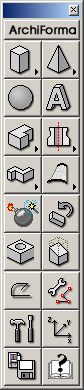
The ArchiForma 2 Palette is divided into four main sections that contain logical groupings of the different types of commands and functions required for creating or modifying objects:
- simple 3D primitives;
- 3D forms generated from 2D outlines (groups of lines, arcs, lines and arcs, fills);
- editing functions (holes, cutting, rotating);
- miscellaneous tools, which include instruments for editing elements, saving and general editing.
The graphic interface allows quick and simple editing of even the most complex forms, such as extrusions, tubing or surfaces.
With the hole, cutting plane and rotate commands, even the most minute details can be sculpted to get the desired shape.
With the hole, cutting plane and rotate commands, even the most minute details can be sculpted to get the desired shape.
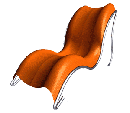
The objects created with ArchiForma 2, such as doors and windows, can be saved as library parts and used again in future projects. They can also be edited any time modifications are necessary and saved again as new Objects.
This example shows how easy it is to work with ArchiForma. It provides a step by step description of the operations required for creating a translational surface.
Several improvements had been done respect of the previous versions are a lot, let's describe only some of them.
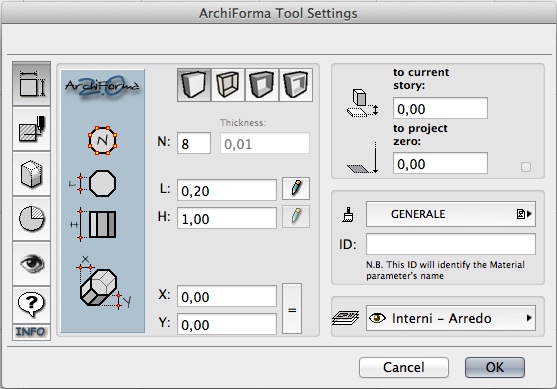
Let's start with the new graphic interface and the four new kinds of extrusion tools:
Let's start with the new graphic interface and the four new kinds of extrusion tools:
- the traditional one (Vertical extrusion);
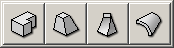
- the Ruled extrusion;
- the Twister Extrusion;
- the Bend extrusion.
Let's continue with this short description.
The Ruled Extrusion needs two ArchiCAD Fills which describe the bottom and the top faces. The resulting solid is generated by the connection of these two polylines in the 3D space.
The Twister Extrusion needs only an ArchiCAD Fill which describes its base: it generates a solid coming form the extrusion of this polygon around a vertical axis (the shape can also be resized along this path).
The last one, the Bend Extrusion, it's similar to the first one, the Vertical Extrusion, but the final prism can be bent.
All these solids coming from the extrusion tools, can be edited both in the Plan and in the 3D window by using the ArchiCAD Editable GDL Hotspots. You simply need to select and drag the hotspot to graphically modify the element without exploding it or coming back to its setting dialog window.
The Ruled Extrusion needs two ArchiCAD Fills which describe the bottom and the top faces. The resulting solid is generated by the connection of these two polylines in the 3D space.
The Twister Extrusion needs only an ArchiCAD Fill which describes its base: it generates a solid coming form the extrusion of this polygon around a vertical axis (the shape can also be resized along this path).
The last one, the Bend Extrusion, it's similar to the first one, the Vertical Extrusion, but the final prism can be bent.
All these solids coming from the extrusion tools, can be edited both in the Plan and in the 3D window by using the ArchiCAD Editable GDL Hotspots. You simply need to select and drag the hotspot to graphically modify the element without exploding it or coming back to its setting dialog window.
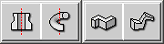
The following icons in the ArchiForma 2 palette are the Revolution and Spiral Tools. The Spiral Tool let you extrude along a circular or elliptical path predefined profile shapes or custom (user defined) shapes.
The next tools, Extrusion and Sweep along a path, are some of the best improvements of ArchiForma 2.0.
The next tools, Extrusion and Sweep along a path, are some of the best improvements of ArchiForma 2.0.
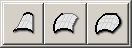 An now, the "main actors" of ArchiForma 2, the Surfaces Tools, that's to say elements generated from the connection between ArchiForma 3D Polylines.
 ArchiForma 2 provides you also with a set of tool for editing the already created elements.
The first one, the Exploding/Updating Tool, lets you "deeply" modify the geometry of the original elements that created the result model (fills, polylines, arcs, etc.).
The main difference from the same tool, already included in ArchiForma 1.0, is that when you update the element you don't loose the original settings (materials, fills, position, etc.). The Rotation tool, as in the previous version, lets you rotate the elements in the 3D space.
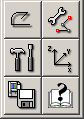 The last tools we want to describe in this short summary, are the 3D Polyline Tool (useful for Extrusion along paths and Surfaces generation) and the 3D Polyline Editing Tool which provides you with a useful palette (very similar to the ArchiCAD Pet Palette) for modifying/adjusting your 3D Polyline (Add/Delete Nodes, Curve Side/Straighten Curve, Merge Polylines, Split Polyline).
 A lot of other new/reviewed functions enrich this last ArchiForma version (for example the feature to save your ArchiForma model as an ArchiCAD parametric Library parts: Objects, Doors and Windows) but we prefer to let you discover and enjoy them by downloading and using the ArchiForma 2.0 demo version!

ArchiSuite System Requirements
The add-ons require the same configuration as your version of ArchiCAD.
ArchiCAD Version
ArchiSuite is compatible with ArchiCAD 17 and subsequent versions and it does not work with previous versions of ArchiCAD.
Installing the package
Installing ArchiSuitePlus has to happen in 2 steps:
- After downloading, click on the file and an Installer will put the Add-Ons in the correct folder of ArchiCAD
- After the Installer finished, it is necessary to prepare the Cigraph-Dongle. Put it into the computer and lunch ArchiCAD. From the menu: Design- Extradesign select “Cigraph Liccenze Activation” and follow the instructions.
Custom Work Environment
If you use personalized ArchiCAD custom work environments, the add-on menu might not appear automatically in the ArchiCAD Design menu.
To show the Work Environment Manager dialog, click on Options/Work Environment.
Use this dialog to configure your custom work environments to include the menu for the new add-on.
Managing the object library
We recommend not moving the libraries used by the add-on from their original location (in the same folder as the add-on).
Here they will be managed automatically by the add-on and you will not experience any difficulty loading them.


ArchiSuitePlus download must be related to the ArchiCAD version and Operative System in use.
To ease your life we developed a dedicated "Installer", which starts after downloading ArchiSuitePlus.
ArchiSuitePlus
| ArchiCAD 20 | 23 November 2016 |  |
 |
| ArchiCAD 19 | 23 November 2016 | |
|
| ArchiCAD 18 | 23 November 2016 | |
|
| ArchiCAD 17 | 23 November 2016 | |
|
Updates and bugs fixing
ArchiSuitePlus for the current and the previous ArchiCAD version are constantly up to date, as soon as new new bugs arise. When you launch ArchiSuite, it immediately advises you for new updates available for free download.
Remember to quit ArchiCAD, before installing any ArchiSuitePlus Update.
Back to:
Actual Plug-ins Collection:
- ArchiTerra 3
- ArchiForma 2
- ArchiTiles 2
- ArchiTime
- ArchiStair 2
- ArchiPanel
- ArchiMap
- ArchiQuant 2
- ArchiGiallieRossi
- ArchiTools
More info about: